Weekly Reflection #3- My Experience Using Stop Motion Animation In The Classroom
Hi Blog! For my Weekly Reflection last week I discussed a great resource called Epic! Books, see that post here:Weekly Reflection #2 – Discovering Epic! Books. This week I want to discuss another resource that is super fun in the classroom, and talk about my experience using it with 5th grade students!
This weeks topic is Stop Motion Animation!!
My First Time Making A Stop Motion Video
Before heading into the school we had an opportunity to play around with stop motion in our technology class and it was a blast! This was helpful for me because I had never made stop motion videos before. I was nervous about being in the classroom, so I was glad I was getting experience with the app beforehand to take away some of the stress. The app we used in class was Stop Motion Studio which can be downloaded for free on mobile devices. I found this app very user friendly and easy to use! You can easily edit the video, add sound effects, and audio. My group had a ton of fun with the audio aspect and really got into character!
Here is the video we made in class! We gathered our props and came up with the storyline of bees and ladybugs in a battle for the flowers!
We had a lot of fun adding in the audio and making the video unique to our group.
After making our video I was excited to go into a classroom and get to watch students be creative with this project.
In The Classroom
When we first arrived to the school we were informed that the app that was approved for the school was Zing Studio. I had no experience with this app so I was hoping it was similar to Stop Motion Studio since I felt comfortable with that program. Regardless of having to pivot a little bit ( which teachers always do) I was really excited to start working with the kids!
I partnered up with another Teacher Candidate and we got our group! We spent a few minutes getting to know a little bit about our group and introducing ourselves to them. Building a connection with these kids was important to us!
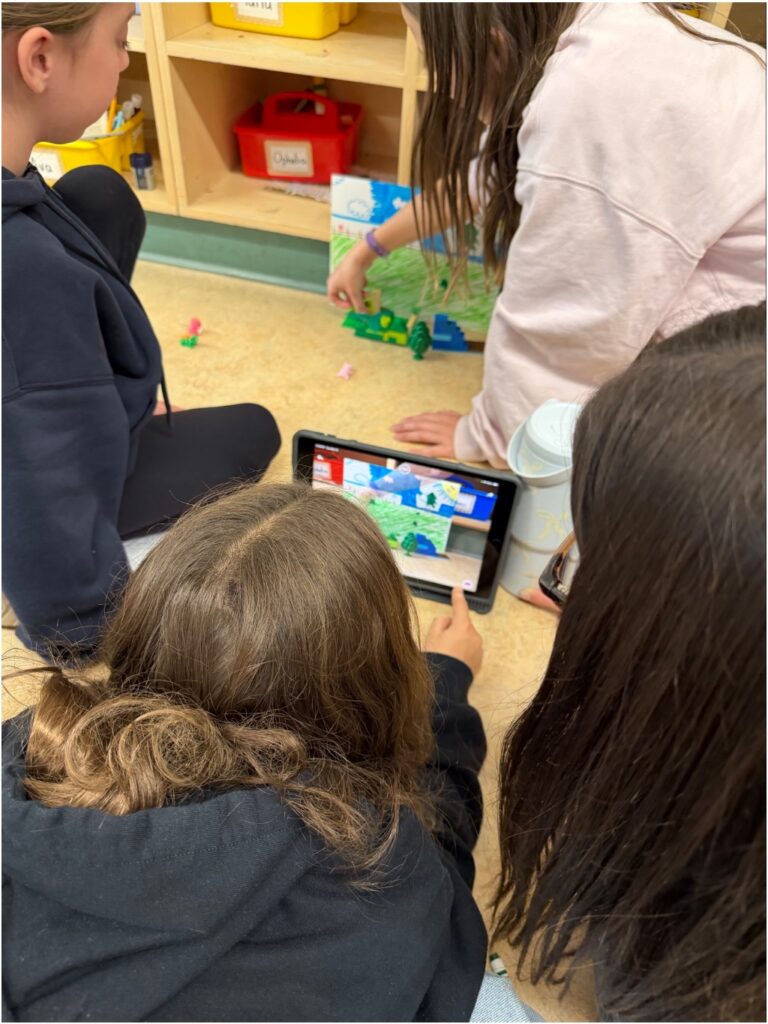
Once our introductions were done we discussed the project and started brainstorming our story. The story we decided to go with was “Hide and Seek Gone Wrong!” The students in our group never fought over roles and collaborated really effectively. One of my favourite parts was when we were deciding who got which role, two of the girls both said they wanted it at the same time then immediately told the other girl they could have that job. It was really sweet to watch how they wanted each other to have the job. Our group then set out to complete their roles. One girl made the backdrop, one got the props, and I worked with the third girl to show her how to use the app and take the photos.
We then started filming our stop motion video. My partner and I made sure to explain to the girls how you only want to move the characters a tiny bit between each photo for the best results, and how important it was to not move the camera. Once we gave them those instructions we let them play around and let them take control while we just monitored.
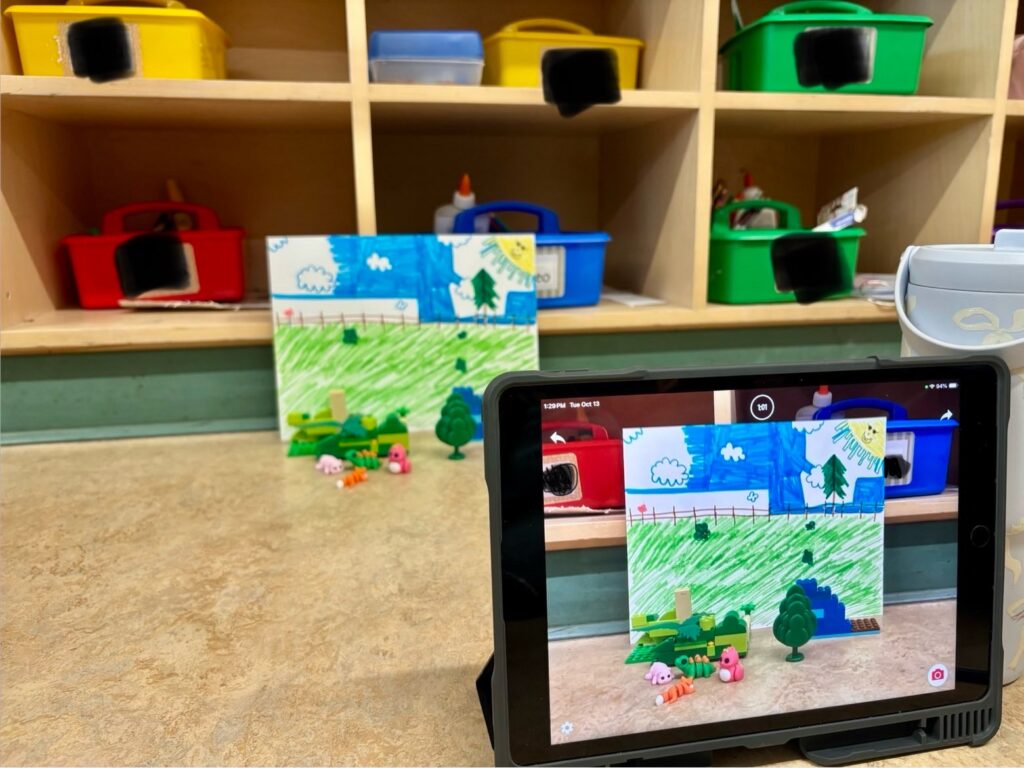
The students were having a lot of fun with it! One feature of Zing Studio that was very helpful was that when you take a photo, you can see a blurry image of what the last photo was on your screen, that way when things accidentally get moved, you can line it up to the last shot and try again. This happened to us lots, where the backdrop would fall over, or something would accidentally get bumped but it wasn’t a problem because we could just fix it and keep going.
I talked to the teacher throughout the in-situ and got some insight into how she would make this project cross-curricular. This project could include art, technology, and language arts. Making the props and backdrop include art components, using the technology to make the video is the technological aspect, and creating a story line with characters and plot is LA. It was cool seeing how one fun activity can teach the kids so many things and include multiple subjects.
Our Video
Now what you are all waiting for…. our video!
Hide and Seek Gone Wrong!! ( the video has been slightly edited to remove any identifying features of the students).
Some Takeaways I Had
Throughout this experience there were a few things I got to witness the classroom teacher do that I noted for when I am a teacher…
One of them was how she managed the class. She was always able to get their attention and had good effective classroom management skills.
Another was how she grouped up the kids for this project. The groups were made off of student interests and on who she thought would want to make a similar video. This eliminated some conflict as for the most part kids agreed on the video easily.
And finally, that technology won’t always work, and we have to get creative. The classroom smart board wasn’t connecting to the laptop, so the teacher had the overhead camera pointed at her computer screen and showed the videos to the class that way.
Conclusion
I really enjoyed this in-situ and I learned a lot of valuable skills. I will definitely be bringing this activity into my future classroom as it has a lot of cross-curricular learning and was super engaging and fun! The children got to have authority and show a lot of creativity which fostered personal confidence and expression.