Weekly Reflection #5
Hello blog! This week I got the opportunity to go to the SD5 Design Lab located in Cranbrook, B.C.
From this experience I got to experience some more valuable ways to incorporate technology and innovation into the classroom.
What Is The Design Lab??
The SD5 Design Lab is a place where students of all ages are able to experience transformative hands-on learning with different forms of technology and platforms.
This space fits into education because it allows kids to problem solve and experience heavy hands-on learning with tools not readily accessible in the classroom. It offers students a space to experiment and explore their creativity while providing tools to make their ideas come to life!
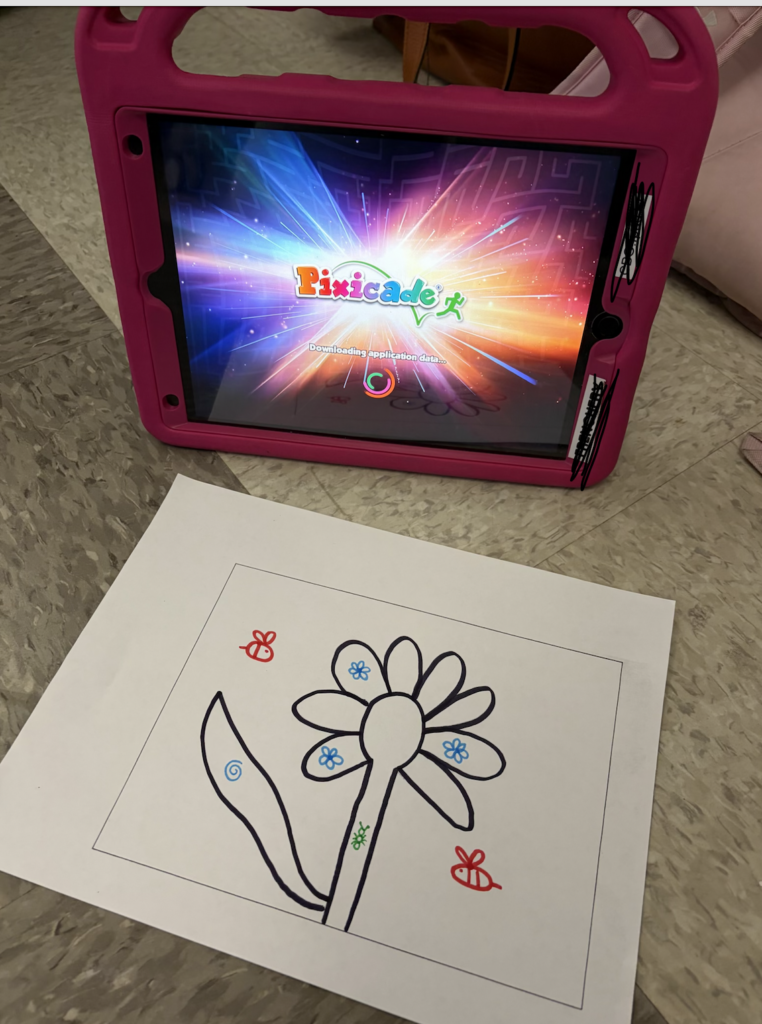
The design lab fosters learning using technology in a healthy way where students are still the main thinkers, and technology just assists them in the activities. An example of this is the Pixicade app. The student draws a game on a paper and the app brings the drawing to life and makes it a playable game.The student is the main thinker in this activity because they have to physically draw, and make physical adjustments to make the game work. The app makes it playable but doesn’t do the thinking for you.
What Stood Out To Me??
I was shocked by the amount of new technology that the Design Lab had. When I was in school there wasn’t access to much, if any of this. All we really used to be creative was paper, scissors, and glue. I was really impressed with all the ways students could experiment and use technology to be innovative. From the band saw that is safe for all ages, to the digital uses for Lego. I can see so much opportunity to grow students thinking and problem solving in this space!
Another thing that surprised me was how accessible the space is for teachers. It being free to use and busing provided.
That space is super cool, and I can not wait to further explore it!!
What Activities Did I Choose??
I wanted to experiment with as many activities as I could in class today while still feeling like I understood them.
I started with button making. I had done this before during orientation this year but my button didn’t work so I wanted a second try at it! I ended up creating a button to put on my teacher lanyard. The process of creating a button is very simple yet very fun!
The next activity I tried was Ozobot. Ozobot are little robots that move along coloured lines. Students can draw different paths for the robot to follow.
In this video the robot wasn’t able to successfully go up the stairs.
After modifying my stairs and making the lines thicker, my robot was able to successfully go up the stairs.
As you can see using the Ozobots takes trial and error which helps to demonstrate the design process we discussed at the start of class. I made my design, tested it, discovered what I wanted to fix to make it better, and then I modified it. After I modified it I tested it again and it worked how I wanted.
How Do You Envision Using This Space With A Class??
Next I tried the 3D printing pens, and I had a lot of fun! I think this could be a fun activity to demonstrate 3D shapes to students. I am picturing a cross curricular activity for math and technology where students learn about 3D shapes, and then use the pens to create the nets of shapes and turn them 3D. ( Please see hyper links leading to the curriculum for grade 3 showing where this project could fit into)
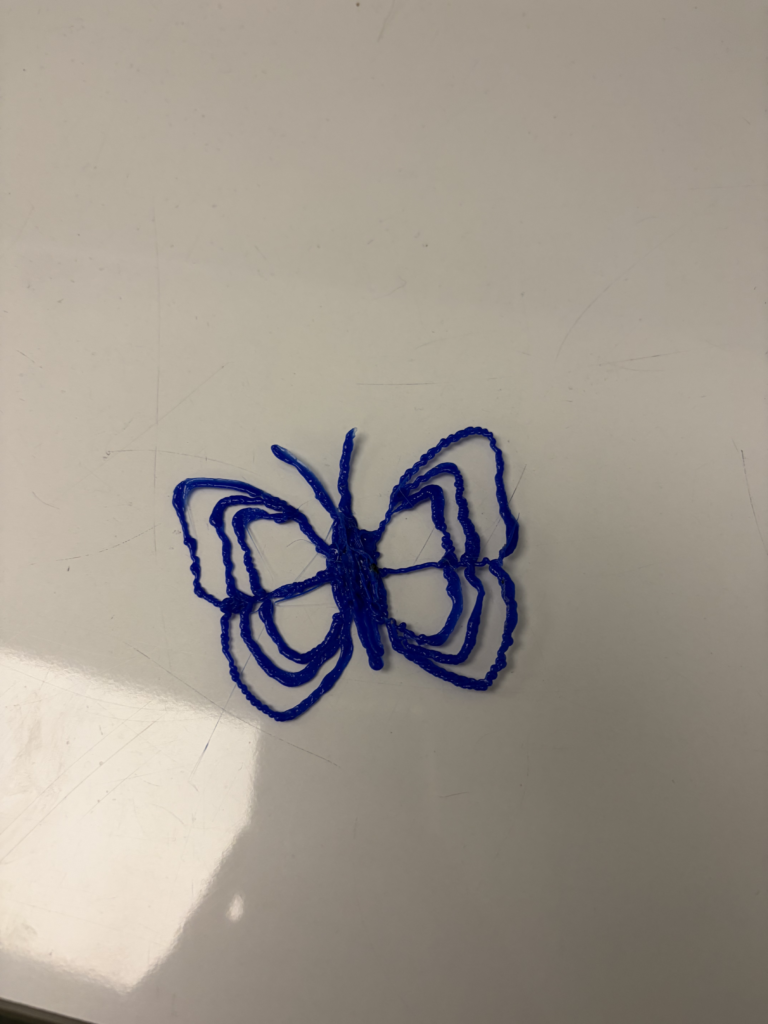
Using the 3D pens I created a butterfly!
I would also love to have my class participate in the STEAM FEST mentioned in this class. I think it would be a great way to foster creativity and a growth mindset by using the design process. I found it fascinating that the challenges are open to all grades and I think it would be super cool to see how the designs progress and differ in each grade!
What Kind Of Project Would You Choose?
I would love to find multiple ways to utilize this space. Initially I think of math and science subjects that could be done in this space, but I feel like I could find ways to incorporate most subject with a bit of thought and effort into planning.
The band saw they had could be used to create backgrounds for art or stories. What I am picturing is using the bandsaw to create the backdrops for stop motion videos. The 3D pens could also be used to create backdrops and props for this.
The virtual reality could be a fun way to do virtual field trips! Technology allows students to travel the world, and visit places not accessible in schools.
Reflection!
Overall, I loved this experience! The way technology has improved and become such a powerful educational tool is very cool to see and something I am excited to explore further. I would love to find ways to use this space both during my practicums and when I have my own classroom.
I also enjoyed seeing how much my classmates enjoyed this space. Everyone looked so excited to try all of the tools and really got invested. Technology and innovation is fun for all ages and that was proven to me today.
Thanks for reading my blog!
This post was written by Hailey.